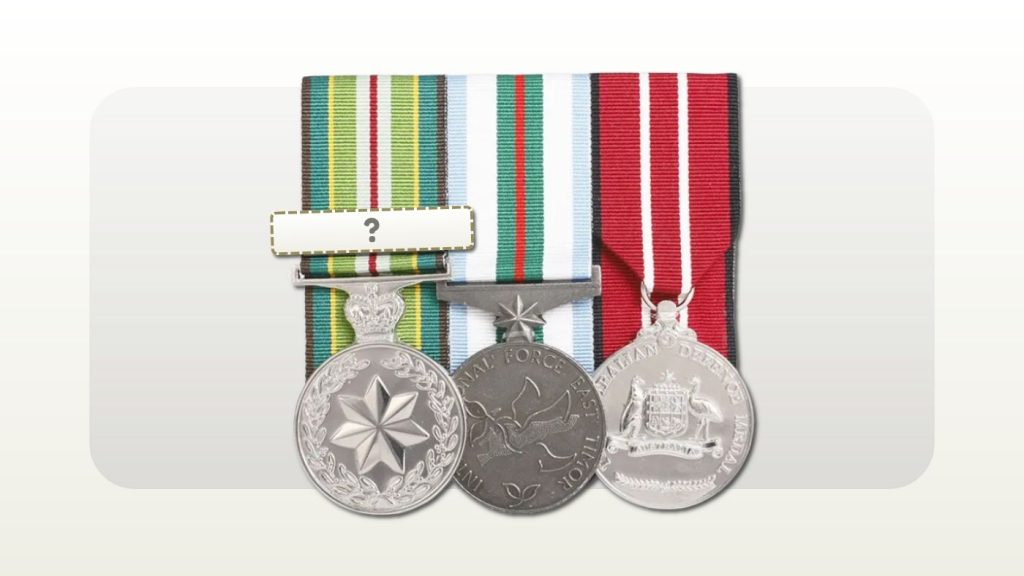
If you cannot find an award or clasp in Rack Builder, confirm the exact name and contact support before completing the order. Do not substitute a similar-looking medal or leave out a confirmed clasp simply to finish the preview. A clear enquiry gives the team something specific to investigate.
Rack Builder's published guidance asks customers reporting a missing award to provide its full name, issuing authority and a reliable source. The data team reviews and adds verified awards.[1] For a clasp, identify the medal it belongs to and explain which option you cannot find. Ask the team to confirm the next step for your particular rack.
Does a missing search result mean the award is not recognised?
A missing result does not, by itself, answer whether an award exists, whether the recipient is entitled to it or whether it can be supplied in the format you need. Those are different questions. Start by identifying which one you are trying to resolve.
If the recipient's award information is confirmed, the immediate enquiry may be about finding or configuring the correct item. If the name or entitlement is uncertain, resolve that with the relevant awarding authority. Rack Builder's FAQ states that common groups do not confirm entitlement and directs customers to the recipient's records, award documents or relevant authority.[2]
When asking for help, explain the uncertainty honestly. "I have confirmed this award but cannot locate it" gives a different starting point from "I am trying to identify a medal in an old photograph". Neither requires you to choose an unverified item first.
What should you check before reporting an award as missing?
Compare your search term with the name in the award documentation. Look for a shortened title, spelling variation or abbreviation that may be making the search less useful. Try the full name and, if needed, a distinctive part of that name. Check any result against the official description before selecting it.
Rack Builder's public Medal Library offers a name search and categories covering national and military, police, emergency, corrective service, Imperial and foreign awards.[3] Browsing the relevant category can help you identify a possible entry, but the name and issuing authority still need to match.
Also note where the problem occurs. Can you find the award in the public reference library but not in your saved rack? Is the medal selectable but a clasp absent? Is the issue limited to a miniature set or ribbon bar? Describe what you can see without assuming that an entry on a reference page guarantees every purchasing option.
What if the medal is listed but the clasp is missing?
Give the full medal name followed by the exact clasp wording or confirmed clasp total, as appropriate to that award. Say whether the issue occurs with full-size medals, miniatures or a ribbon bar. If you are ordering several formats, identify each affected product.
Avoid a request such as "add the extra bar" on its own. It may not tell the reviewer which medal you mean or the final configuration you require. A clearer version is: "I can select [medal], but cannot find [clasp wording] for the [format]. Could you review the available option?"
Could the ribbon bar use a different device?
Yes, some awards represent clasps differently when the ribbon is worn alone. A clasp that appears on a medal ribbon should not automatically be expected to appear as an identical object on a ribbon bar.
For example, Defence states that the first four clasps to the Defence Long Service Medal are represented by rosettes when the ribbon is worn alone. At the fifth clasp, those are replaced by a single Federation Star.[4] This is an award-specific example, not a rule to apply to every medal.
If the builder displays a device you do not recognise, ask whether it represents the confirmed clasp entitlement for that format. Do not label the item missing until you have clarified what the displayed device means. Provide the award name, confirmed clasp details and the product format so the question can be answered accurately.
What information should you send with the enquiry?
Rack Builder support asks customers to include their saved rack reference or order number when available.[5] Alongside the award's identifying details, a concise description of the problem helps connect the enquiry to the correct configuration. The table below is a practical preparation guide.
| Detail to provide | What makes it useful |
|---|---|
| Exact award name | Copy the name from a reliable record or official award page, rather than using a nickname. |
| Issuing authority | Identify the country, service, department or organisation responsible for the award. |
| Clasp or device details | Name the parent medal and give the exact clasp wording or confirmed requirement. |
| Reliable reference | Include an official award page or another source that supports identification. |
| Where the issue appears | State the selected service or jurisdiction, product format and what you searched for. |
| Rack or order reference | Include the saved rack reference or existing order number if you have one. |
| Required date | Give the event date and any earlier arrival deadline, without assuming it can be met. |
If an image would explain the issue, ask how best to provide it. A clear screenshot of the relevant selection or a close view of the medal and clasp can illustrate the question. Share only the information needed; an initial catalogue enquiry should not require you to send unrelated personal or operational records.
Who confirms where the award belongs in the group?
Finding the item and confirming its position are separate checks. The Governor-General publishes the Australian Order of Wearing Honours and Awards, and Defence directs recipients to the established order.[6][7] Ask the team to review the layout using the exact award identity and relevant wearing context.
For an unfamiliar or foreign award, flag any acceptance or wearing question that remains unresolved. Catalogue inclusion should not be treated as personal entitlement or official permission to wear it. Keep the enquiry about product configuration clear about what has already been confirmed and what still needs an authoritative answer.
Should you complete the order while waiting for an answer?
If the missing item changes the set you intend to buy, resolve that question before proceeding. Rack Builder allows customers with an account to save a rack and return when remaining details are available, but saved racks expire after 90 days.[1] Keep a note of the missing item and the saved reference so you can resume the discussion without reconstructing the whole group.
If you have already placed the order, contact support promptly with the order number. Ask whether the item can be included and whether the requested change affects the price or timing. Rack Builder's change guidance says available action depends on the stage of review, material preparation, engraving, mounting or production.[2] Sending an enquiry does not itself confirm an amendment.
Does reporting a missing item guarantee it can be supplied?
Ask the team to confirm availability, the relevant format and any effect on timing. Verification of an award's identity is only part of resolving a purchasing enquiry. Avoid treating a report acknowledgement as confirmation that the item has been added to your order or can arrive before an event.
Rack Builder support advises that an entered required date does not confirm delivery until the production schedule is accepted. If the deadline is close, contact the team before ordering.[5] Make the timing question explicit instead of assuming the catalogue review and production can both fit the remaining time.
A worked example of a missing clasp enquiry
Imagine a customer who can select a medal for a miniature group but cannot find the named clasp shown in their confirmed award information. They can see the clasp described on an official source page. This hypothetical example illustrates the enquiry process and does not identify an actual gap in Rack Builder's catalogue.
The customer first checks the full medal and clasp names. They note the selected format and save the rack reference. Their enquiry includes the official source and asks whether the clasp is listed under another option or needs review. They leave the unresolved selection open instead of adding another medal as a placeholder.
Once the team replies, the customer checks the confirmed configuration, price and timing before proceeding. If the answer requires further award verification, they obtain that from the relevant authority and return with the specific information requested.
Use this message to report an unlisted award or clasp
Hello Rack Builder team, I am preparing [product format] under [service or jurisdiction] and cannot find the following item:
- Award name: [full name].
- Issuing authority: [country or organisation].
- Clasp or device, if relevant: [exact wording or confirmed requirement].
- Reference source: [official page or other reliable source].
- What I can currently find: [brief description of the search result or available option].
- Saved rack reference or order number: [reference, if available].
- Required arrival date: [date, if relevant].
Could you please confirm whether this item is available under another entry or needs review, and how I should proceed with the rack? Please also let me know if the answer affects the available format, price or timing. Thank you.
Send the enquiry through Rack Builder support and keep the reply with your rack details. Once the missing item is resolved, review the complete group before placing or amending the order.[5]
If your question is really about the DLSM fifth-clasp change rather than a missing entry, see our guide to the fifth DLSM clasp on full-size and ribbon-bar sets.
Sources
Source pages reviewed 13 October 2026. Numbered citations in the article open the sources below.
- Rack Builder: How it works Missing-award details, data team review of verified awards, and saving a rack to return later (account required; saved racks expire after 90 days).
- Rack Builder: FAQ Common groups are a starting point only; order changes depend on the stage of review, material preparation, engraving, mounting or production.
- Rack Builder: Medal Library Name search and categories for national and military, police, emergency, corrective, Imperial and foreign awards.
- Department of Defence: Defence Long Service Medal Rosettes for the ribbon worn alone, replaced by a single Federation Star at the fifth clasp.
- Rack Builder: Support Saved rack reference or order number, missing medal reports and required-date guidance.
- Governor-General: Australian Order of Wearing Honours and Awards Official national order-of-wear schedule.
- Department of Defence: Wearing honours and awards Defence direction to the established order of wearing.